Multi-Sessions
Create entries for repeating sessions
PennyPerfect allows repeating sessions to be entered quickly.
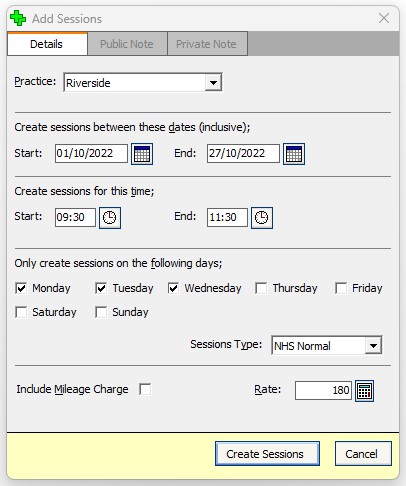
- Click the green double plus sign at the top of the Sessions grid to display the Add Sessions dialogue.
- Specify the practice, dates, times, days of the week and rate.
- The image below for example, shows how sessions would be created for every Tuesday and Thursday morning for Riverside surgery, for £120 per session, for the whole month of August.
If a session already exists for the same date and start time an error message is displayed, and no duplicate session is created. If however the start times are different but there is a time overlap, no error message is displayed (i.e. you choose to create sessions from 8:30 to 11:00 but a session already exists from 9:00 to 11:30, this will not cause an error).