Upgrading
Downloading the latest version
Upgrading is a transparent process. Just download the installer and run the installation wizard. It will overwrite your version of PennyPerfect with the latest version, but leave your data untouched.
Information on running PennyPerfect with Windows 10 is available on this page.
There is no restriction on downloading upgrades. The latest version can be downloaded at any time to replace your previous version. All of the web based help actually assumes you have the lastest version, and refers only to features available in the latest version.
Upgrading Templates
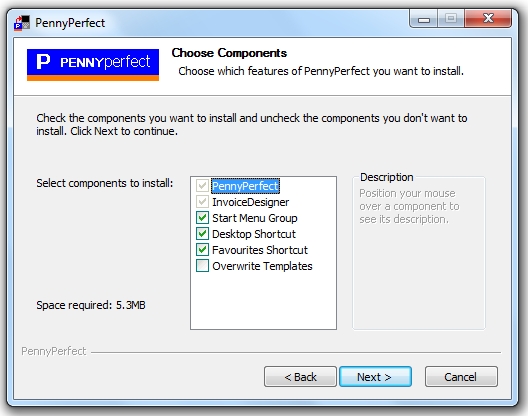
On page 3 of the wizard where the choice of components is made there is a checkbox 'Overwrite Templates'. If this is checked the invoice templates you have installed will be replaced with the latest version. This is checked by default and it is recommended you install the latest versions. Any existing templates with the same name will be overwritten by the new templates.
It is recommended any invoice templates you edit you save with an alternative name, so you can always upgrade to the latest templates.
Moving PennyPerfect to Another Computer
If you buy another computer and want to move your copy of PennyPerfect to it, please see this page.